
Once you’ve purchased a WP AI Blogger, accessing the download and license key is quick and simple. Just follow the steps below.
First, log in to the customer area found at WP AI Blogger Store: https://wpaiblogger.com/customer-dashboard/
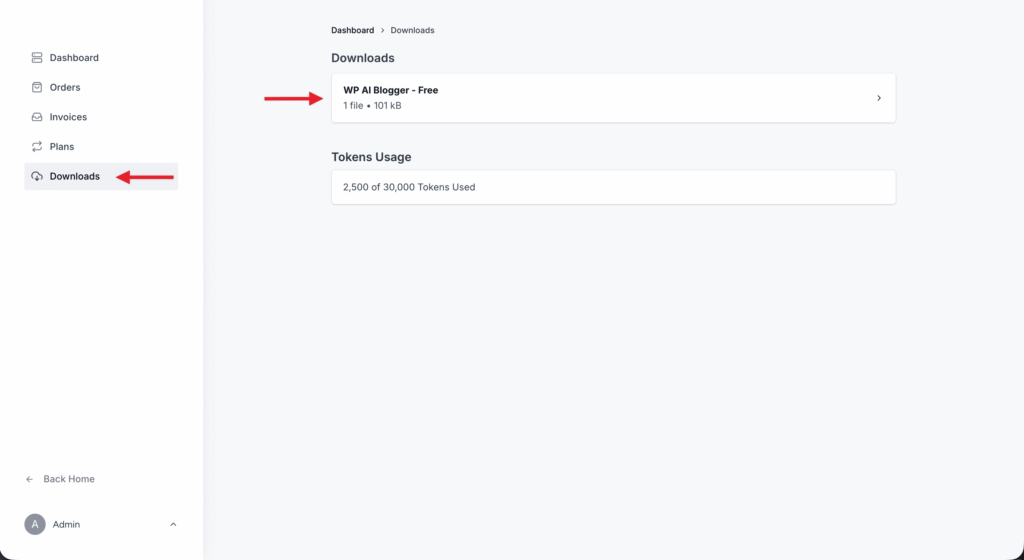
Once logged in, you will see the Downloads section. Click on the product area.
Click the Download button to get the ZIP file.
To install it, go to your WordPress dashboard → Plugins → Add New → Upload Plugin.
Make sure the WP AI Blogger core plugin is also installed from the WordPress plugin directory.
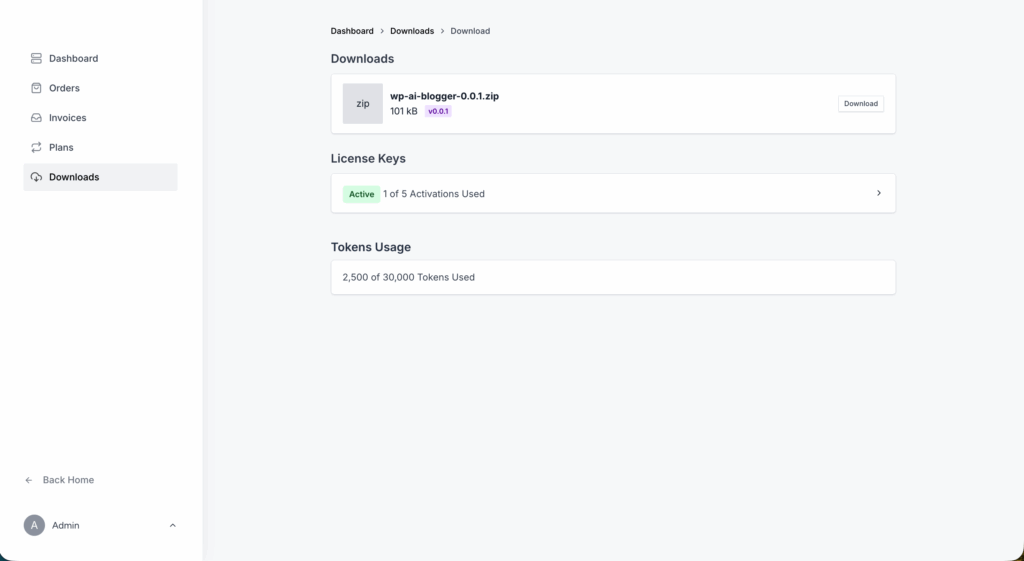
Below the Downloads section, click on the License Keys section.
You’ll see your license key, along with options to view activations and manage your sites.
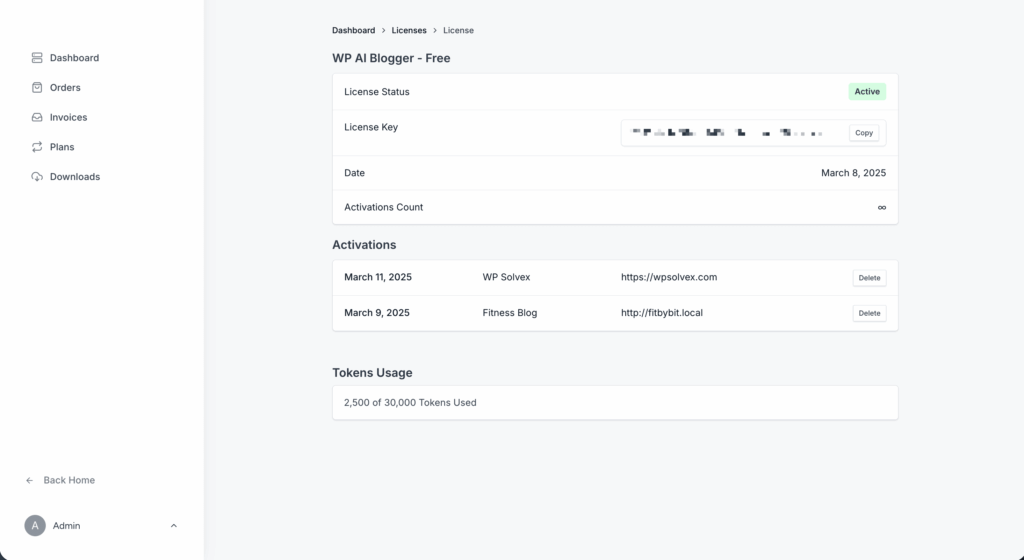
Your plugin is now ready to use. Just paste the license key in the plugin settings on your site to activate it.
If you need help with installation or license activation, feel free to reach out to us.