
Whenever a new Custom Post is added through a plugin or code, WordPress permalinks usually need to be flushed.
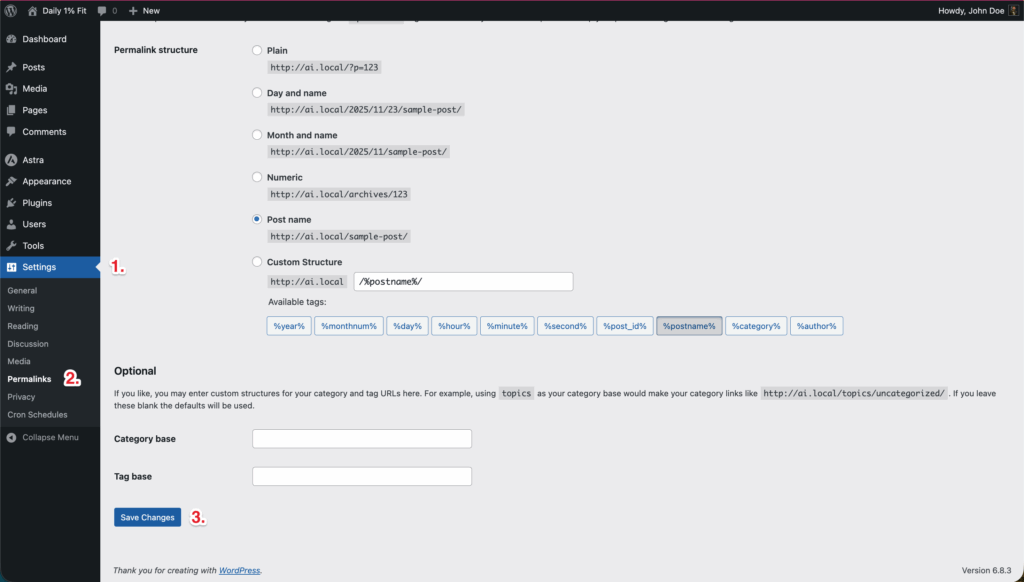
Please follow these simple steps to refresh/flush the WordPress permalinks.
- Step 1: In the WordPress admin area, go to “Settings > Permalinks”
- Step 2: Click “Save Changes.”
- Step 3: Permalinks and rewrite rules are flushed.
Was this article helpful?