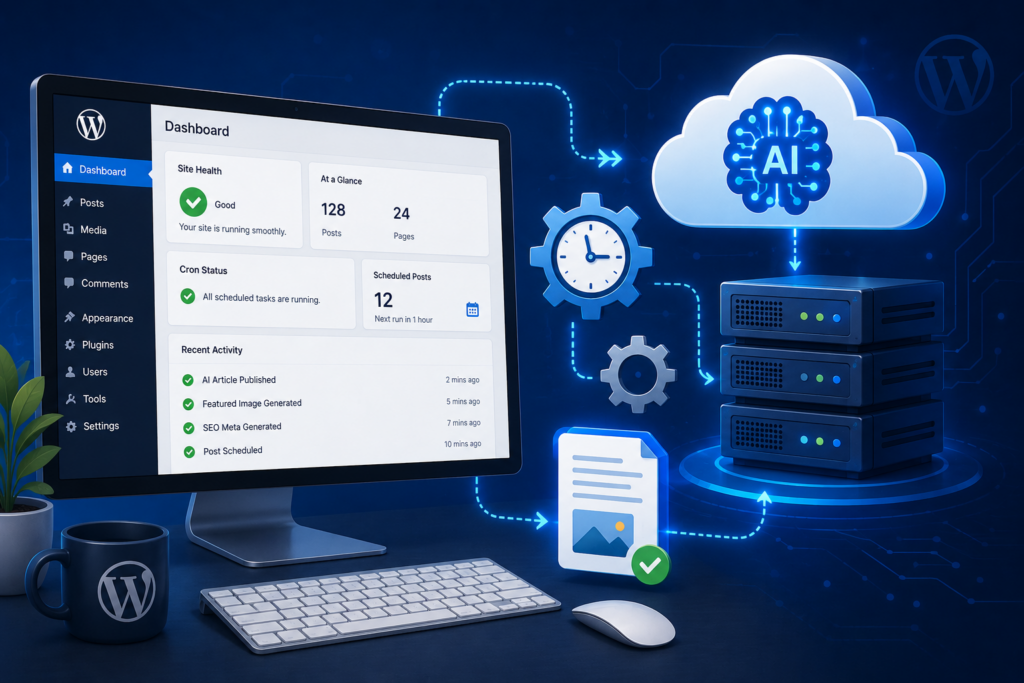
Artificial intelligence is no longer just a buzzword floating around the periphery of the WordPress ecosystem—it has become the foundational infrastructure for high-performance website management. From automated code generation to semantic search optimization, the shift toward wp ai applications is fundamentally changing how agencies, theme creators, and plugin developers build and scale digital assets.
For modern digital professionals, the goal is simple: eliminate repetitive manual workflows, protect server resources, and generate highly structured code and content without sacrificing quality. Here is a deep dive into how the developer landscape is utilizing AI right now, and what it means for the future of WordPress.
The Data: Why Developers Are Automating Longer Content
Before looking at the technical architecture, it is important to understand why developers are building AI engines to scale their word counts. The days of 500-word daily updates are officially over, as modern search algorithms heavily prioritize comprehensive pillar pages.
The statistics from recent SEO studies explicitly dictate these new requirements:
- The optimal blog post length ranges between 1,500 to 2,500 words.
- For technology-focused content, the ideal limit is 1,500 to 2,000 words.
- Articles exceeding 2,000 words receive an average of 77.2% more backlinks compared to shorter posts.
- Hook Agency concluded that the absolute ideal blog length for SEO in 2026 is 1,760 to 2,400 words.
- Orbit Media data indicates that posts between 2,000 and 3,000 words have a 4x higher chance of success compared to posts under 500 words.
To hit these massive word counts consistently without spending upwards of 6 hours manually drafting a single post, agencies are abandoning basic tools and turning to sophisticated AI infrastructure.
1. The Death of the “Simple Text Wrapper”
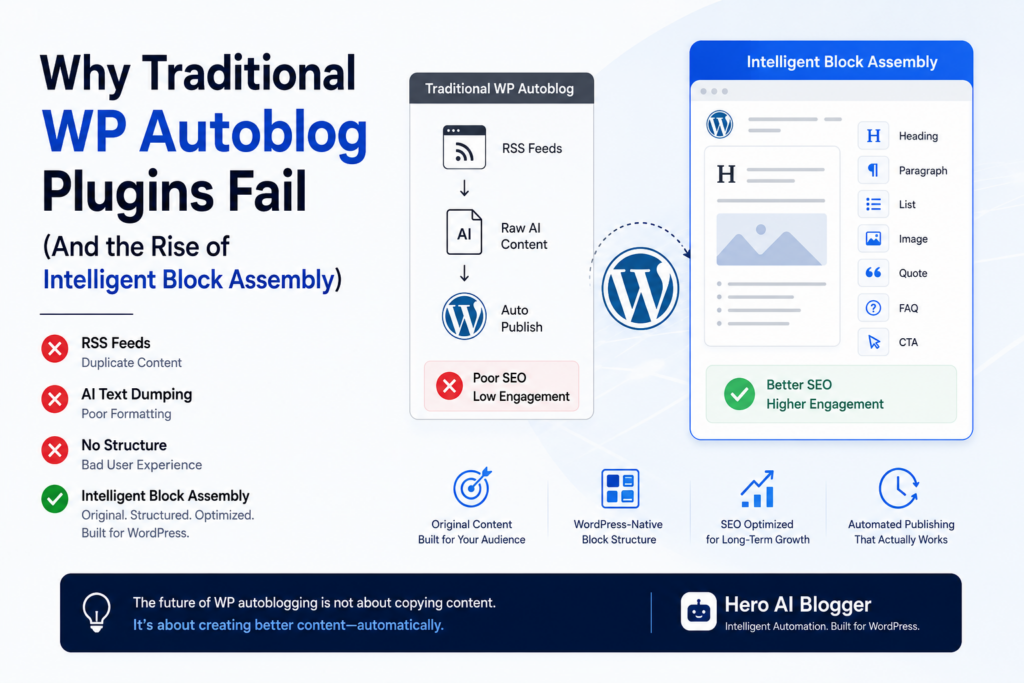
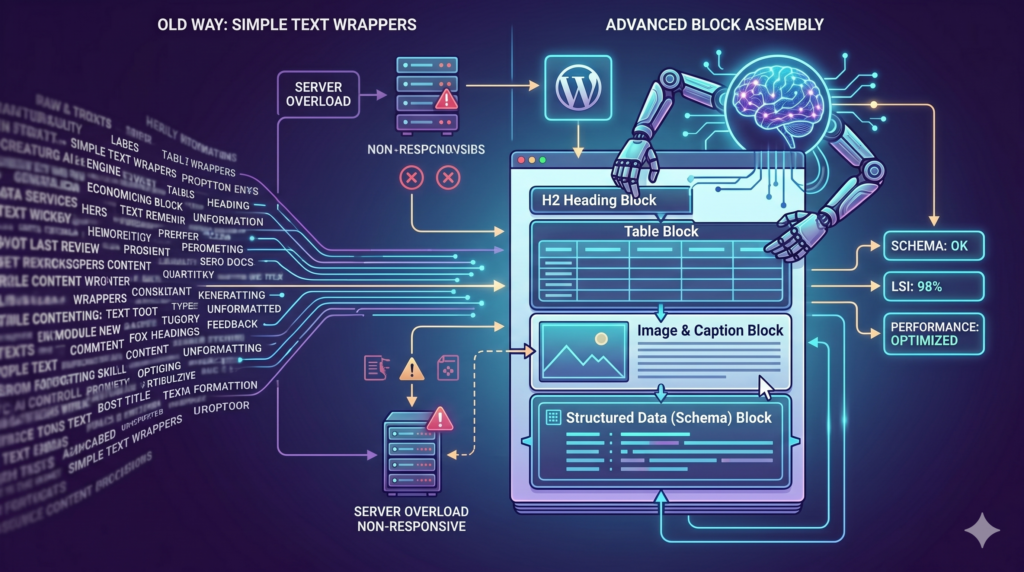
If we look back just a couple of years, the first wave of AI plugins were little more than basic API wrappers. They featured a simple prompt box that sent a request to OpenAI, fetched a massive wall of text, and dumped it unceremoniously into the database using a basic wp_insert_post() command.
In 2026, that standard is completely obsolete because it fundamentally clashes with how modern WordPress actually works. The Gutenberg editor does not just accept raw text; it requires highly specific, structured block markup. Block markup is notoriously difficult for AI to produce correctly. If an AI attempts to write the HTML comment for a block and gets the className attribute wrong, or formats a <cite> tag incorrectly, the entire block becomes invalid and WordPress silently forces it into a broken Classic Editor fallback. This problem compounds drastically when an AI tries to generate complex nested layouts, such as wp:cover or wp:columns blocks.
Modern implementations focus on deep, block-level assembly to eliminate this friction entirely. Instead of forcing the AI to guess the exact proprietary Gutenberg JSON syntax, top-tier 2026 plugins utilize sophisticated server-side conversion bridges. The AI is instructed to output highly structured Markdown or clean HTML—formats it handles flawlessly—and the plugin’s PHP infrastructure automatically parses that output into perfectly valid, interlocking Gutenberg blocks behind the scenes.
Because of this architectural shift, today’s AI engines do not just write paragraphs; they architect entire pages. They construct complex layouts, generate structured data (Schema markup) in the background, embed beautifully formatted comparison tables, and handle image alignment natively. The AI acts less like a copywriter and more like a junior front-end developer, ensuring the final output perfectly matches the site’s exact visual constraints while easily pushing the word count past the required 1,500-word threshold without a single validation error.
2. Modern Front-End Architecture
The standard for a premium WordPress plugin has completely shifted, moving away from legacy server-heavy processes. For over a decade, developers relied heavily on the default AJAX implementation, funneling requests through the monolithic admin-ajax.php file. When dealing with high-latency tasks—like waiting 45 seconds for a third-party AI model to return a massive 2,000-word payload—routing requests through admin-ajax.php creates massive bottlenecks, blocking processes, and inevitable server timeouts.
Today’s top-tier wp ai tools operate essentially as high-performance, decoupled applications living directly within the WordPress admin dashboard. Instead of relying on legacy PHP templates or admin-ajax callbacks, modern plugins are built as robust React frontends that communicate asynchronously with the WordPress REST API.
By routing data through standard HTTP requests to specific API namespaces (like /wp-json/wp/v2/), React can handle complex state management seamlessly within the user’s browser. This architectural shift is absolutely crucial for automation tools running heavy background tasks. When an application is executing live API calls, fetching dynamic data, or parsing complex custom validation logic—such as ensuring that input fields can reliably accept spaces for user names natively without breaking the payload—it must operate with the speed and fluidity of a modern web app.
This transition to component-based, reactive UI allows for real-time progress tracking during massive automated content runs. Administrators can watch the generation progress via clean state updates, knowing that the heavy data lifting is happening asynchronously via the REST API rather than locking up their server’s PHP workers or draining their database resources.
3. Secure Token Management and Server Safeguards
As developers integrate deeper AI automation into client websites, API cost control and server health become massive technical priorities. Running high-volume programmatic SEO campaigns to hit that 2,000-word mark across dozens of pages simultaneously requires a robust infrastructure that can handle continuous data streams.
In a standard WordPress setup, long-running processes are managed by wp-cron.php. However, WordPress cron jobs are virtual—they only fire when a visitor lands on the website. If a site has low traffic, or if an automated generation script hits a hard rate limit with the Gemini or OpenAI API, a poorly coded plugin will stall. Even worse, if it doesn’t handle the API’s HTTP 429 (Too Many Requests) error properly, it will continue to fire background processes repeatedly, looping indefinitely, crashing against the API wall, and completely filling the WordPress server error logs with database faults and PHP memory allocation errors.
Modern wp ai solutions are built with strict fallback loops and transient caching mechanisms to prevent these server overloads. For example, systems like Hero AI Blogger utilize a proactive Token Exhaustion Engine built directly into the server-side logic. Before any automated generation sequence fires, the system executes a lightweight pre-flight request to validate the available API credits and check current rate limits.
If the tokens are exhausted or a threshold is breached, the tool executes what developers call a “Smart Pause.” Instead of letting the script crash the server, it gracefully halts the campaign, stores the current layout state in a secure WordPress transient, and dispatches an administrative email alert via wp_mail(). This ensures the integrity of the WordPress database remains absolutely flawless and your server’s CPU usage stays at baseline—a non-negotiable feature for enterprise agencies managing dozens of client staging environments.
4. Scaling Agency Content Pipelines Programmatically
For digital marketing and web development agencies, content creation has historically been a massive, unscalable bottleneck. You can build a blazing-fast, technically perfect WordPress theme utilizing modern block standards, but if the client cannot populate it with deeply optimized, 2,400-word content that targets real user intent, the site simply will not rank. This leaves agencies in a tough position, frequently waiting months for clients to deliver copy before a site can go live.
By embedding reliable automation frameworks directly into the client’s staging or production environment, development teams can hand over a fully functional growth machine on day one. Agencies are no longer using AI to just pump out random keywords; instead, they are configuring these tools to generate deep, data-driven topical clusters based on highly targeted industry personas.
The process is fully programmatic: the developer defines a core pillar keyword, and the AI maps out an entire internal linking silo, automatically generating sub-topic articles that link back to the main service page. Because modern tools handle the Gutenberg block structure natively, these articles inherit the theme’s global styles, CSS variables, and typography rules perfectly.
This shifts the entire agency business model. Instead of delivering a static website and walking away, development teams can turn website delivery into a recurring, high-value SEO and technical maintenance service. By managing the underlying AI infrastructure, token limits, and site health, agencies can provide continuous organic growth for their clients on complete autopilot.
5. Agentic AI vs. Generative Text: The New WordPress Paradigm
For the past several years, the WordPress community relied on what we call “Generative Text AI.” You would provide a prompt, and the AI would return a blog post. In 2026, professional WordPress development has entirely abandoned that model in favor of Agentic AI Ecosystems.
What is the difference? An AI agent does not just generate text; it executes complex, multi-step workflows with full contextual awareness of your website’s database, active plugins, and active theme framework. When an agency developer initiates a programmatic SEO campaign today, the Agentic AI performs a comprehensive audit before writing a single word.
First, the agent queries the WordPress REST API to analyze existing content and identify keyword cannibalization risks. Next, it maps out a semantic architecture. Instead of just writing a 2,000-word wall of text, the agent constructs what developers call “Component-Level Generative UI.” It knows that your specific theme utilizes custom React-based block patterns for author bios and call-to-action (CTA) banners. The AI dynamically pulls those specific block variables, populates them with targeted copy, and injects them precisely at the 30% and 70% scroll depth of the article to maximize conversion rates.
This represents a paradigm shift. Developers are no longer building static templates and relying on humans to fill them; they are deploying Agentic AI to act as an autonomous site manager that perfectly balances strict design systems with continuous, high-volume content generation.
6. Automated Code Testing and the Eradication of PHP Errors
One of the largest bottlenecks in automated content generation has historically been database instability. When a site scales from 50 pages to 5,000 pages through AI automation, the sheer volume of wp_postmeta database queries can cripple an unoptimized server, leading to dreaded “502 Bad Gateway” errors.
In 2026, WordPress developers are actively utilizing AI not just to write content, but to strictly monitor and debug the server environments hosting that content. Before a sophisticated tool like Hero AI Blogger initiates a massive programmatic push, developers use AI-assisted testing frameworks (often integrated with tools like Playwright or native PHPUnit tests) to simulate the server load.
Instead of hunting through massive Apache or NGINX error logs manually, developers deploy AI debugging assistants that can instantly translate complex PHP fatal errors or database deadlocks into plain English. For example, if an automated content run fails because a specific string of characters conflicts with a legacy plugin’s MySQL query, the AI instantly isolates the conflict, rewrites the SQL query to utilize proper $wpdb->prepare() statements for strict sanitization, and prevents a total site crash.
By utilizing AI to automate routine code testing, cross-browser compatibility checks, and latency monitoring, development teams can safely scale their automated content operations without the constant fear of breaking the production environment.
7. The Rise of Headless Automation and Custom Endpoints
As we push further into 2026, the definition of a “WordPress website” is radically changing. Enterprise developers and massive digital publications are increasingly moving toward Headless WordPress architectures. In a headless setup, WordPress is used strictly as a backend content management system (CMS), while the frontend is built using modern JavaScript frameworks like Next.js, Nuxt, or Vue.
AI plays a foundational role in bridging this gap. Because a headless architecture relies entirely on the WordPress REST API or GraphQL to deliver content to the frontend, the data must be flawlessly structured. Standard text wrappers fail miserably here because raw HTML dumped into a REST payload often breaks modern JavaScript routing.
Modern wp ai plugins are designed natively for this headless future. When the AI generates a complex post containing tables, schema, and internal links, it does not just save the raw Gutenberg HTML. It translates the entire layout into strict, clean JSON objects.
Developers can instantly query custom AI endpoints (e.g., /wp-json/hero-ai/v1/generate-cluster) to automatically feed highly optimized, pre-formatted data directly to their Next.js frontends. This allows development agencies to utilize the ease of automated WordPress content generation while delivering the blazing-fast, app-like speeds of a modern headless frontend—a combination that Google’s Core Web Vitals algorithms reward with massive organic traffic.
The Future is Automated
The developers who are winning in the current landscape are those who view artificial intelligence not as a replacement for their skills, but as an advanced toolkit to scale their architecture and meet modern search engine demands.
If you are a developer or agency owner looking to implement a secure, highly advanced automated engine on your own sites or your clients’ staging environments, you can explore the technical infrastructure of our software at wpaiblogger.com. For an immediate look at how we structure our scalable API limits for high-volume users, review our professional pricing packages to find the perfect fit for your development stack.
Try Hero AI Blogger Free on WordPress.org
Start with the free Hero AI Blogger plugin for WordPress and get 20,000 free monthly tokens every month, no credit card required.
Create your first keyword campaign, choose a publishing schedule, and see how an original-content workflow fits your site.
Need more tokens, longer articles, more sites, or advanced publishing capacity? Explore Hero AI Blogger Pricing.
Get Practical WP AI Growth Tips
Receive occasional WordPress automation, AI content, and SEO tips for bloggers, agencies, and site builders.
No spam. Unsubscribe anytime.