Introduction
Background automation is one of the biggest advantages of modern WordPress plugins.
Whether you’re publishing scheduled blog posts, syncing products, sending email campaigns, or generating AI-powered content, users expect everything to happen automatically without needing to keep the browser open.
That’s where WP-Cron comes in.
WordPress Cron allows plugins to schedule background tasks that run automatically when visitors access the website. For many plugins, it’s the backbone of automation.
However, developers quickly discover that long-running API requests—especially AI content generation—don’t always play nicely with traditional Cron jobs.
Large language models may take several seconds to generate responses. Image generation can take even longer. External APIs occasionally timeout, rate-limit requests, or temporarily become unavailable.
When these situations aren’t handled correctly, Cron jobs begin to fail.
The results are familiar to many developers:
- Scheduled posts never publish.
- API requests timeout.
- Duplicate content is generated.
- Jobs remain stuck indefinitely.
- Servers become overloaded.
- Users lose confidence in the automation.
The good news is that these issues are preventable.
In this guide, we’ll explain why WordPress Cron jobs fail during API content generation, the most common mistakes developers make, and the architectural patterns that lead to reliable automation at scale.
Understanding How WP-Cron Actually Works
One of the biggest misconceptions about WordPress Cron is that it behaves like the Linux Cron service.
It doesn’t.
A traditional server Cron runs at fixed intervals regardless of website traffic.
WP-Cron works differently.
Every time someone visits a WordPress website, WordPress checks whether scheduled events are due to run.
If they are, it starts processing those tasks during that request.
This design makes WP-Cron easy to use because it doesn’t require server access.
However, it also introduces several limitations.
If a website receives very little traffic, scheduled tasks may execute later than expected.
If a website receives heavy traffic, multiple requests may attempt to trigger Cron simultaneously.
For plugins that only publish a simple post every few days, this usually isn’t a problem.
For plugins performing AI content generation through external APIs, the situation becomes much more complex.
Why AI API Requests Frequently Break Cron Jobs
Most AI providers don’t respond instantly.
Even relatively small requests may require several seconds before returning a result.
Long-form article generation often involves:
- prompt preparation
- multiple API calls
- image retrieval
- SEO generation
- response validation
- Gutenberg formatting
- database updates
- media downloads
Each additional step increases execution time.
If everything happens inside one Cron request, several problems can occur.
PHP Execution Limits
Many hosting providers enforce execution time limits ranging from 30 to 120 seconds.
If the entire AI workflow exceeds that limit, PHP terminates execution before completion.
The Cron event stops halfway through processing.
HTTP Timeouts
External APIs occasionally respond slowly.
If timeout values are configured incorrectly, WordPress may abandon the request before the provider finishes generating content.
This becomes increasingly common when requesting long-form articles or multiple images.
Memory Exhaustion
Large AI responses consume memory.
Downloading images, parsing JSON, constructing Gutenberg blocks, and saving post metadata all increase memory usage.
Budget hosting environments may hit memory limits surprisingly quickly.
API Rate Limits
Most AI providers enforce request limits.
Launching multiple Cron events simultaneously can exceed those limits and produce temporary failures.
Without retry logic, scheduled jobs simply stop.
Concurrent Execution
Perhaps the most overlooked issue is concurrency.
Imagine two visitors opening the website at exactly the same moment.
Both requests detect that a scheduled campaign should run.
Without proper locking mechanisms, both Cron processes may start generating the same article simultaneously.
The result is duplicate API requests, duplicate content, unnecessary token consumption, and inconsistent campaign statistics.
Common Mistakes Developers Make
Many Cron failures aren’t caused by WordPress itself.
They’re caused by plugin architecture.
Here are some of the most common mistakes.
Performing Everything Inside One Request
Developers sometimes attempt to complete an entire content generation workflow inside a single scheduled event.
For example:
- Load campaign
- Generate article
- Generate SEO
- Download images
- Upload media
- Create blocks
- Publish post
- Update analytics
If any individual step fails, the entire process may stop.
Breaking large workflows into smaller stages dramatically improves reliability.
Ignoring Error Recovery
External APIs fail occasionally.
Good automation assumes failure will happen.
Plugins should:
- Retry temporary failures.
- Log detailed errors.
- Mark failed jobs.
- Resume processing later.
A silent failure is far worse than a visible one.
Missing Locking Mechanisms
Every scheduled task should verify that another process isn’t already running.
A simple transient, database flag, or locking system prevents duplicate execution and protects both your server and API quota.
Without locking, two concurrent Cron executions can generate identical content before either process finishes.
Blocking the User Experience
Heavy AI processing should never slow down the WordPress dashboard.
Generation should happen in the background while administrators continue managing their websites normally.
This separation between user interaction and background processing becomes increasingly important as agencies scale to dozens or hundreds of scheduled campaigns.
In the next section, we’ll look at the architectural patterns used by modern WordPress plugins to make AI content generation resilient, scalable, and production-ready, along with how Hero AI Blogger approaches reliable background publishing.
Building a Reliable WordPress AI Automation Architecture
Once you understand why Cron jobs fail, the next step is designing your plugin to prevent those failures from happening in the first place.
Modern WordPress plugins shouldn’t treat Cron as a place to perform every task from start to finish.
Instead, think of WP-Cron as an orchestrator that starts a workflow rather than completing it.
A production-ready architecture typically separates responsibilities into multiple stages.
For example:
- Cron identifies the next campaign waiting to run.
- The campaign is locked to prevent duplicate execution.
- A request is sent to the AI service.
- The AI service generates the content.
- The response is validated.
- Images are processed.
- The post is saved.
- Statistics and logs are updated.
- The campaign is unlocked.
Each stage should verify that the previous one completed successfully before continuing.
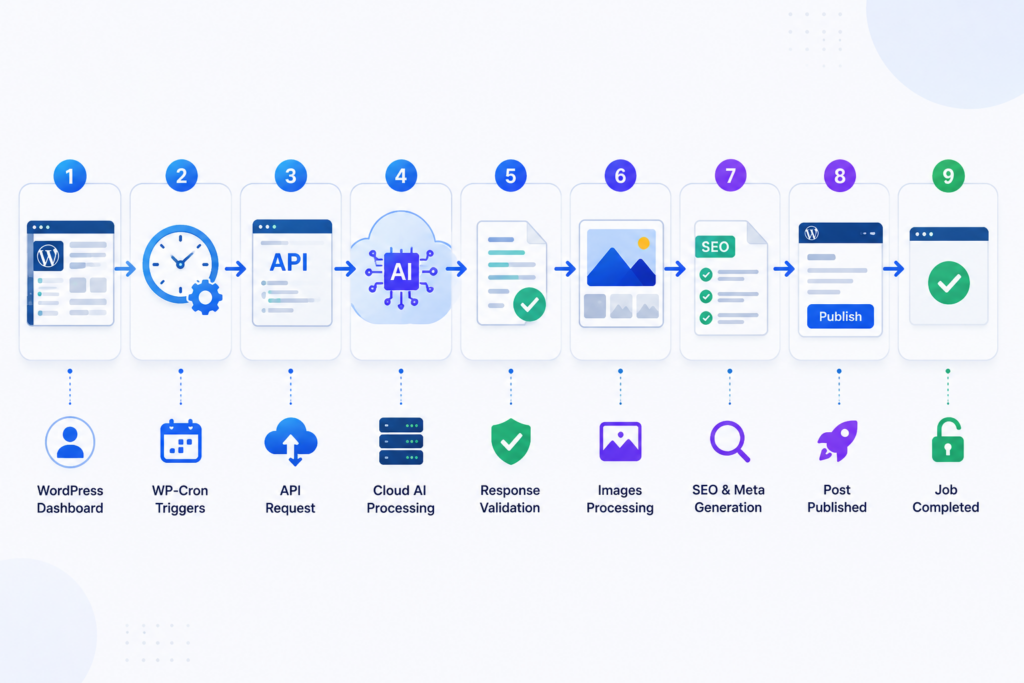
This modular approach makes failures easier to detect, recover from, and retry without restarting the entire workflow.
Best Practices for Reliable Background Processing
Whether you’re building your own plugin or evaluating an automation solution, these practices significantly improve reliability.
Keep Cron Jobs Lightweight
Cron events should schedule work—not perform every expensive operation directly.
Heavy processing can often be delegated to a background worker or an external API designed for long-running tasks.
Keeping Cron lightweight reduces server load and minimizes the chance of PHP execution timeouts.
Implement Job Locking
One of the simplest yet most effective safeguards is a locking mechanism.
Before starting a campaign, verify whether another process is already handling it.
A lock can be implemented using:
- WordPress transients
- Database flags
- Object cache
- Distributed locks (for enterprise environments)
Once the task finishes—or fails gracefully—the lock should always be released.
Add Retry Logic
API failures don’t always indicate permanent problems.
Temporary network issues, rate limits, or provider maintenance are common.
Instead of immediately marking a job as failed:
- Retry after a short delay.
- Increase the delay after each failure (exponential backoff).
- Stop after a reasonable number of attempts.
- Record the reason for failure.
This approach dramatically improves automation reliability.
Maintain Detailed Logs
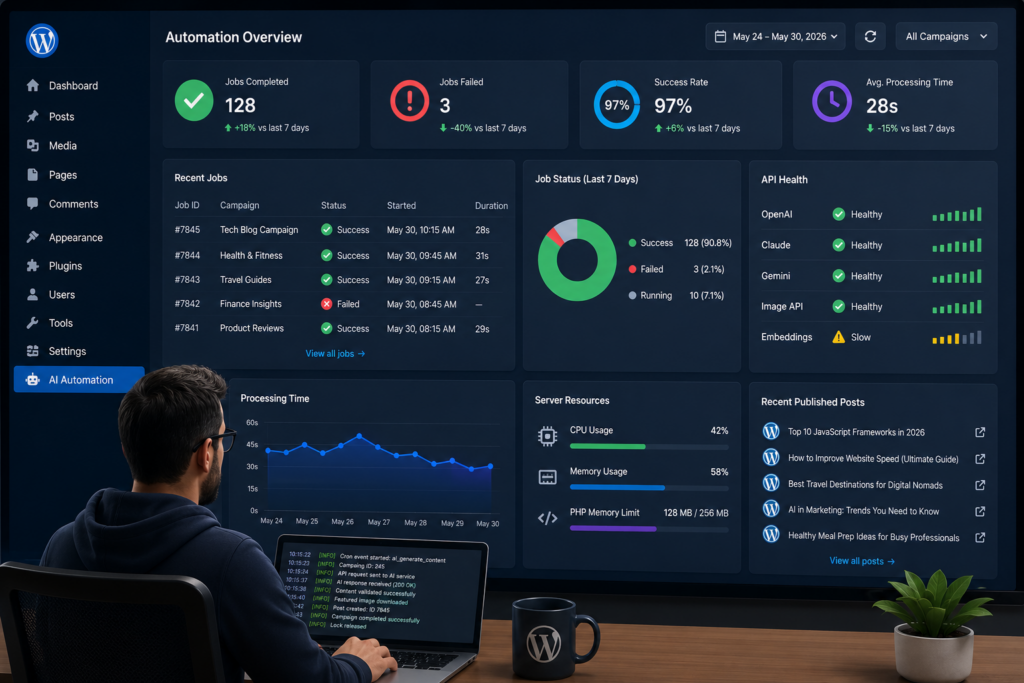
Logs are invaluable when troubleshooting background processes.
Useful information includes:
- Campaign ID
- Start and finish time
- API response codes
- Processing duration
- Retry attempts
- Error messages
- Published post IDs
Detailed logs allow developers to diagnose issues quickly instead of guessing why a campaign stopped.
Validate Every API Response
Never assume an API returned valid data.
Before publishing content, verify:
- Required fields exist.
- JSON is valid.
- Generated content isn’t empty.
- Images downloaded successfully.
- Metadata is complete.
Validation prevents broken or incomplete posts from reaching production websites.
How Hero AI Blogger Handles Background Content Generation
At Hero AI Blogger, reliability has been a core design principle from the beginning.
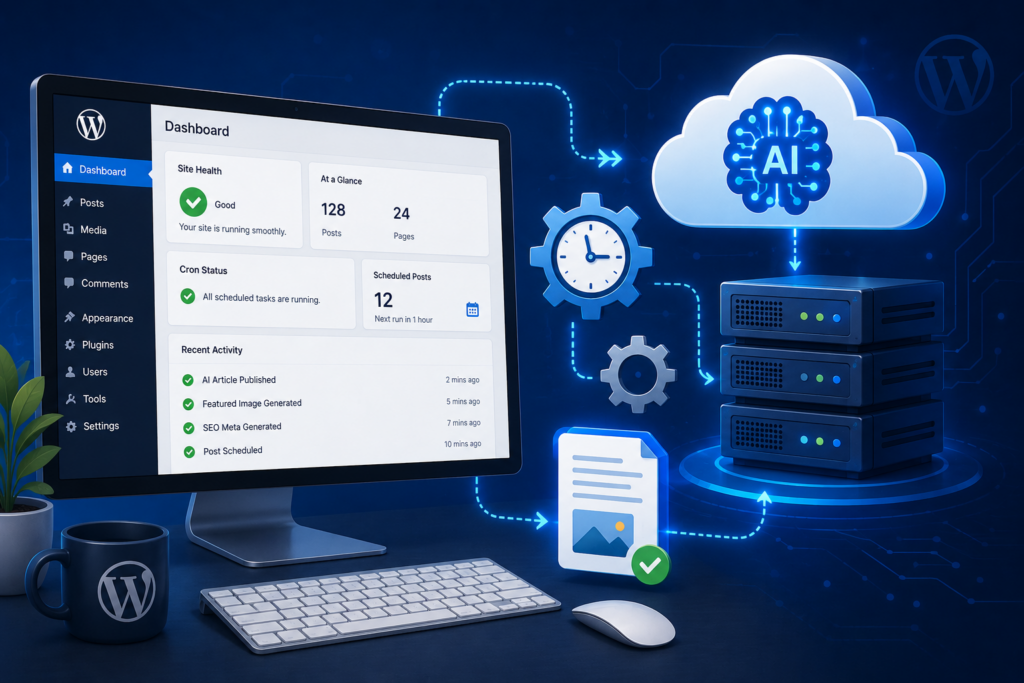
Instead of placing heavy AI workloads directly on the customer’s hosting environment, the plugin separates responsibilities between the WordPress site and our secure cloud infrastructure.
Here’s a simplified overview of the workflow:
- WP-Cron detects that a scheduled campaign is due.
- The plugin securely sends the generation request to the Hero AI Blogger servers.
- AI processing happens remotely rather than consuming your website’s CPU and memory.
- The generated WordPress-ready content is returned to your website.
- The plugin formats the article, assigns featured images, applies SEO metadata, and publishes according to your chosen schedule.
Because the most resource-intensive work happens off the WordPress server, websites remain responsive even while content is being generated.
This architecture also makes it easier to introduce future enhancements without requiring customers to upgrade hosting just to support larger AI workloads.
When Should Developers Consider a Real Server Cron?
WP-Cron works well for many WordPress websites, but it isn’t the ideal solution for every environment.
If you’re managing:
- High-traffic websites
- Enterprise WordPress installations
- Large publishing networks
- Mission-critical automation
- Thousands of scheduled jobs
consider configuring a real server Cron that triggers wp-cron.php at regular intervals.
A server Cron offers more predictable scheduling because it runs independently of website traffic.
Many managed WordPress hosts also recommend this approach for larger applications.
For smaller websites and most agencies, however, a well-designed WP-Cron workflow combined with proper locking, retries, and background processing is more than sufficient.
Developer Checklist for Stable AI Automation
Before deploying your plugin, review this checklist.
✓ Use locking to prevent duplicate execution.
✓ Keep scheduled tasks lightweight.
✓ Validate every API response.
✓ Retry temporary failures automatically.
✓ Log all background activity.
✓ Handle timeouts gracefully.
✓ Monitor memory usage.
✓ Clean up failed jobs.
✓ Avoid blocking the WordPress dashboard.
✓ Test under slow network conditions.
Following these practices helps build automation users can trust.
Frequently Asked Questions
Final Thoughts
Reliable automation isn’t achieved by increasing PHP execution limits or hoping APIs always respond quickly.
It’s achieved through good architecture.
WordPress developers who separate heavy processing, implement locking, validate responses, and design for failure build systems that remain stable as websites grow.
For agencies managing multiple websites, dependable automation is just as important as AI quality.
A missed scheduled post or duplicated article can damage client confidence far more than a slower publishing schedule.
Whether you’re developing your own automation plugin or selecting one for your business, prioritize reliability alongside features.
The strongest AI workflows aren’t simply the fastest—they’re the ones users never have to worry about.
Try Hero AI Blogger Free on WordPress.org
Start with the free Hero AI Blogger plugin for WordPress and get 20,000 free monthly tokens every month, no credit card required.
Create your first keyword campaign, choose a publishing schedule, and see how an original-content workflow fits your site.
Need more tokens, longer articles, more sites, or advanced publishing capacity? Explore Hero AI Blogger Pricing.
Get Practical WP AI Growth Tips
Receive occasional WordPress automation, AI content, and SEO tips for bloggers, agencies, and site builders.
No spam. Unsubscribe anytime.
Related Articles
Continue learning with these guides: